Jnk (Diskussion | Beiträge) (Anleitung für den Studierendenausweis. Erst am Releasetag aktivieren.) |
Jnk (Diskussion | Beiträge) (Doku zum Studierendenausweis freigeschaltet) |
||
| Zeile 4: | Zeile 4: | ||
|translated title=Digital student ID card | |translated title=Digital student ID card | ||
}} | }} | ||
| + | |||
| + | <bootstrap_alert color=warning> | ||
| + | ⌛ We are still in the test phase for the ID card and plan to activate it on 1 October at the latest. ⌛ | ||
| + | </bootstrap_alert> | ||
Starting in the winter semester 2024/25, Paderborn University will provide student ID cards in digital form via the UPB-App. You will no longer receive your ID card by post. Your library card and the AStA Kulturticket will also be available via the app. | Starting in the winter semester 2024/25, Paderborn University will provide student ID cards in digital form via the UPB-App. You will no longer receive your ID card by post. Your library card and the AStA Kulturticket will also be available via the app. | ||
Version vom 30. September 2024, 14:06 Uhr
⌛ We are still in the test phase for the ID card and plan to activate it on 1 October at the latest. ⌛
Starting in the winter semester 2024/25, Paderborn University will provide student ID cards in digital form via the UPB-App. You will no longer receive your ID card by post. Your library card and the AStA Kulturticket will also be available via the app.


 Open the UPB-App
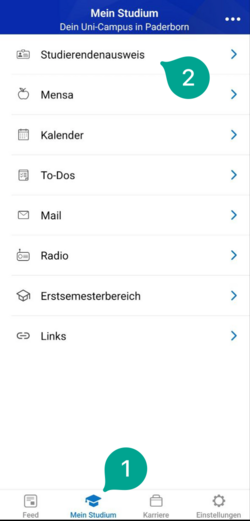
- Click on "Meine UPB-App".
- Click on "Studierendenausweis".

- Click on "Login mit Hochschul-Account"

- Insert your username and password for the Uni-Account
- Click on "Anmelden".

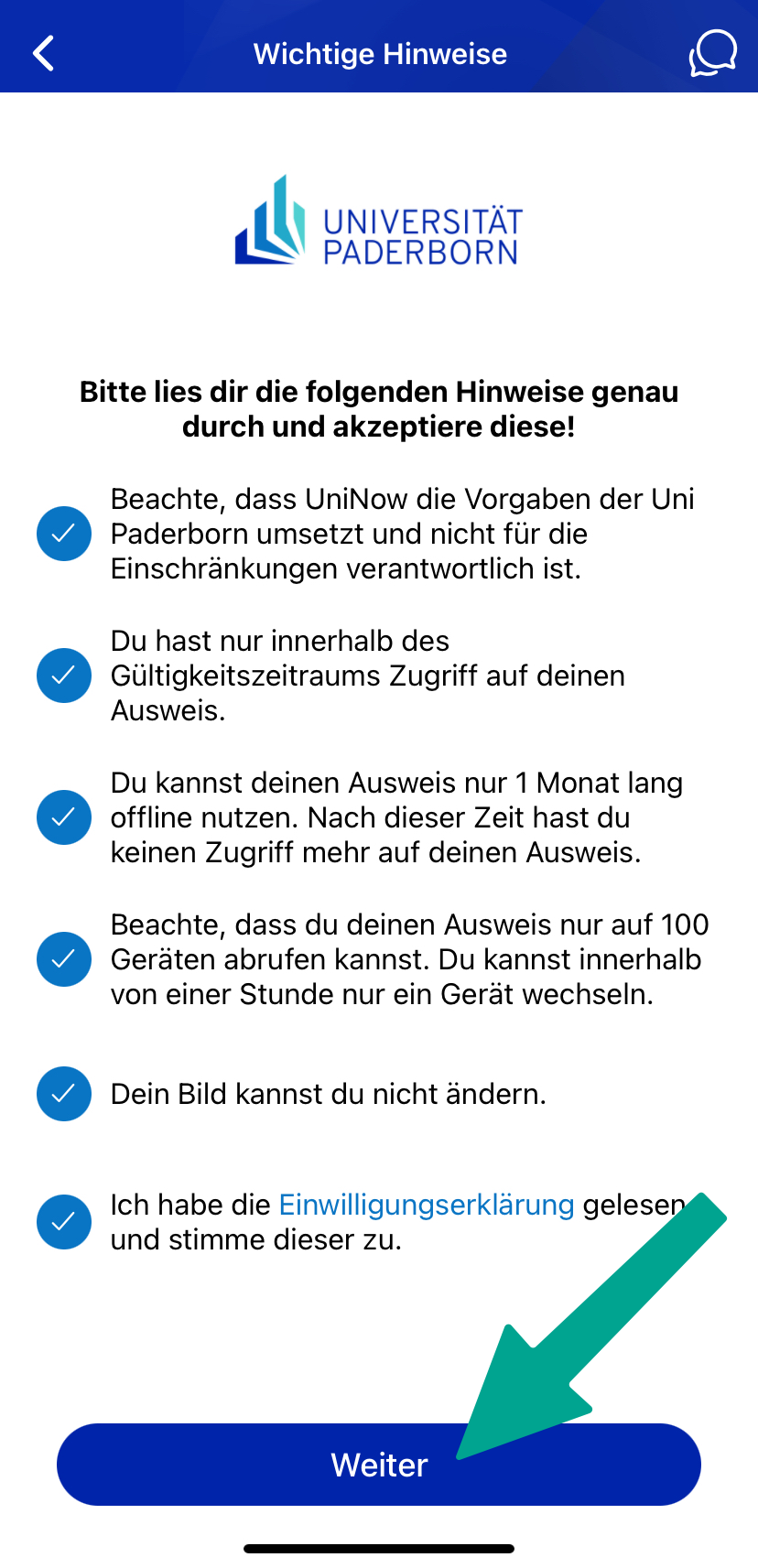
- You will now see a list of the information that will be transmitted to UniNow.
- Click on "Transfer information".

- Read through the instructions carefully and tick the appropriate boxes.
- Then click on "Continue".
You can now use your digital student ID card.

Serviceportal[Bearbeiten | Quelltext bearbeiten]
If you do not have a smartphone or your device is temporarily out of order, in you can alternatively print out your ID card yourself via the Serviceportal.
Open the Serviceportal:
- https://serviceportal.uni-paderborn.de
- Login with your Uni-Account
- Visit "Benutzerverwaltung" an click on "Persönliche Daten".

- Click on "Studierendenausweis PDF" to download your student ID card.
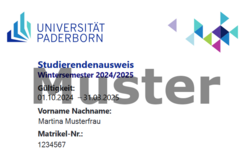
- Save the PDF file on your device.
FAQ[Bearbeiten | Quelltext bearbeiten]
Is the UPB app available in alternative app stores? Where can I find the APK file for sideloading?
- The UPB app is currently only available in the App Store for iOS and the Playstore for Android.
- If you cannot use the stores mentioned above, you can download the digital student ID via the Serviceportal.
- https://serviceportal.uni-paderborn.de/
How can I submit the Digital Student ID to health insurance companies, banks and similar providers?
- If you need to submit proof of your studies, the certificate of enrolment is intended for this purpose. You can download this in PAUL under Menu / My data / My documents.
- https://paul.uni-paderborn.de
- The digital student ID is only intended for presentation on site.