| (Eine dazwischenliegende Version desselben Benutzers wird nicht angezeigt) | |||
| Zeile 23: | Zeile 23: | ||
== See also == | == See also == | ||
| − | * [[ | + | * [[Router einrichten]] |
| − | * [[ | + | * [[FAQ zum Internetzugang]] |
Aktuelle Version vom 13. März 2026, 23:23 Uhr
When using the internet connection in student residences, it is possible to temporarily connect a device such as a PC or laptop directly to the network via LAN. However, this should only be used as a temporary solution, for example, if you are moving in and still need to purchase a router.
IMPORTANT: Connecting via LAN means you are directly connected to the network, which means you do not have a private IP network. This is significantly less secure. Therefore, it is strongly advised against using this as a permanent solution, and you should purchase a router as soon as possible.
What needs to be done?[Bearbeiten | Quelltext bearbeiten]
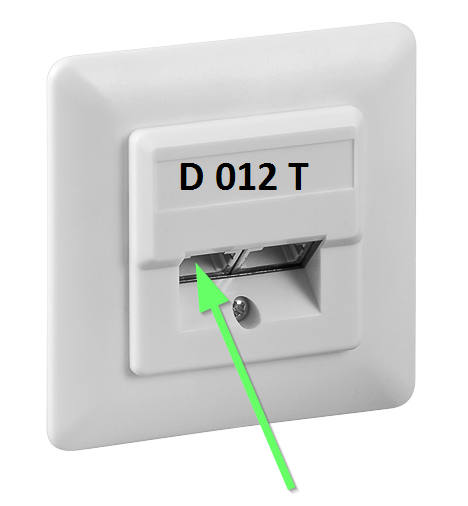
Connect a LAN cable to the network socket in the wall and plug the other end of the LAN cable into your device.
Step-by-step instructions[Bearbeiten | Quelltext bearbeiten]
You will need a LAN cable (at least CAT 5e or higher) and a device with a LAN port, such as a PC or laptop. If your device doesn't have a LAN port, you'll also need a suitable adapter, for example, LAN to USB-C.
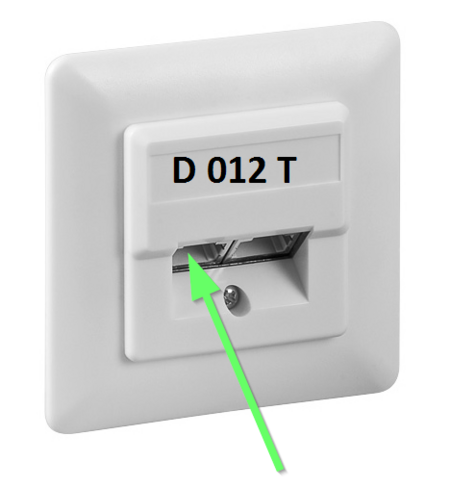
- Plug the LAN cable into the left port of your network socket.
- Plug the other end of the LAN cable into your device or the adapter.