Nutzungsszenario: Nutzung des Bewertungsworkflows/en
Die deutsche Version finden Sie auf der Seite Nutzungsszenario: Nutzung des Bewertungsworkflows
The evaluation workflow enables the management of submissions that always require a second correction or the evaluation of submissions that have already been finally submitted without publishing the evaluation directly.
This article explains how you can use the valuation workflow for a step-by-step evaluation.
What needs to be done?[Bearbeiten | Quelltext bearbeiten]
- Use valuation workflow
- Select different modes in the Status column of the rating overview
Step-by-step instructions[Bearbeiten | Quelltext bearbeiten]
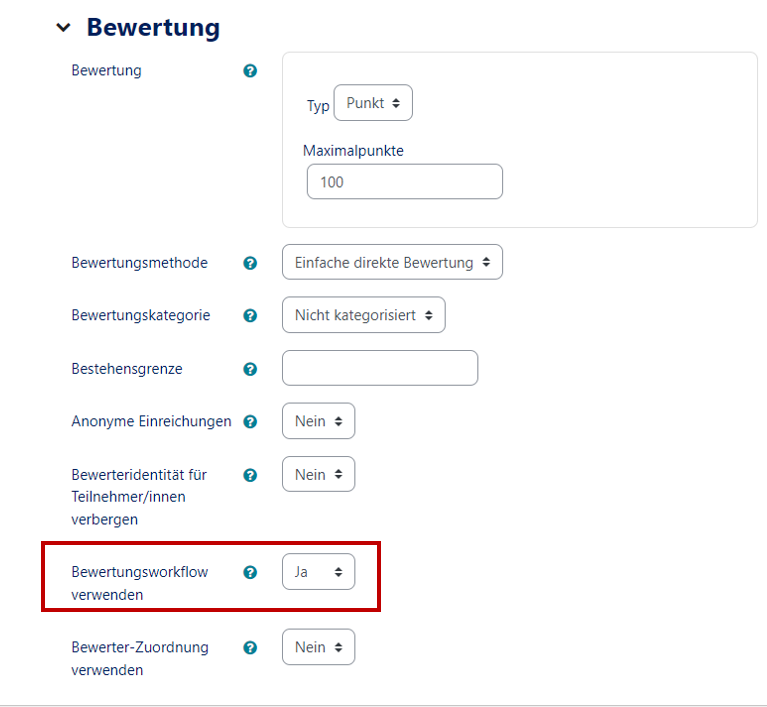
- In the settings of an exercise you can activate the evaluation workflow with Evaluation → Use Evaluation Workflow → Yes.
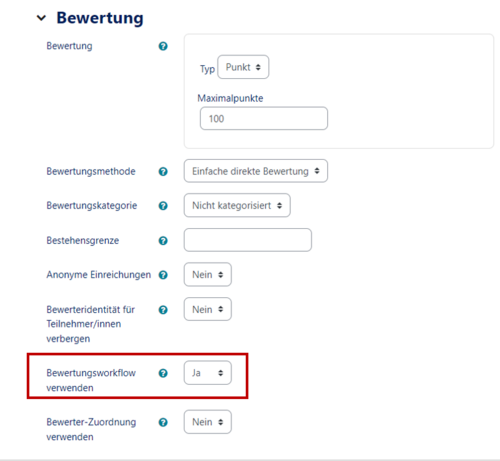
If necessary you have to activate the option "quick valuation" in the evaluation options below the table to be able to valuate the charges directly in the overview.
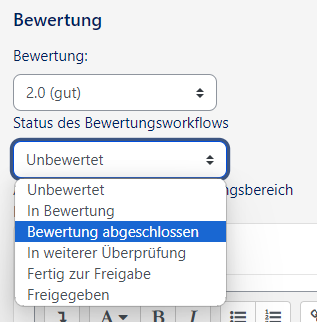
- By activating it, it is possible to specify the following modes in the evaluation overview under Show all charges in the column Status:
- Non-valuated - no valuation yet
- In valuation - tax is corrected (for the first time)
- Evaluation completed - 1st corrector finished
- Is checked - useful if a 2nd corrector is required
- Ready for release - 2nd proofreader ready
- Released - assessment was released to the student